

php/mysql服务的安装与启动
安装php服务(使用阿里云官方镜像仓库)
新增一个软件源配置
# 1. 写入阿里云 Rocky 8 软件源
vim /etc/yum.repos.d/aliyun.repo
[baseos]
name=BaseOS
baseurl=https://mirrors.aliyun.com/rockylinux/8/BaseOS/x86_64/os/
enabled=1
gpgcheck=0

[appstream]
name=AppStream
baseurl=https://mirrors.aliyun.com/rockylinux/8/AppStream/x86_64/os/
enabled=1
gpgcheck=0

# 2. 清理并直接安装 PHP 及其常用模块
dnf clean all
dnf install -y php php-fpm php-mysqlnd php-gd php-xml php-mbstring
dnf install -y php-json php-curl php-mbstring php-gd php-xml
systemctl restart php-fpm

# 3. 启动并开机自启
systemctl enable --now php-fpm

#这里ss -tnulp可能监听不到这个9000这个端口
vim /etc/php-fpm.d/www.conf
找到 listen = 修改为:

Ini, TOML
listen = 127.0.0.1:9000
(下方默认的 listen.allowed_clients = 127.0.0.1 保持默认即可,不需要改动)

重启服务并设置开机自启

Bash
systemctl restart php-fpm
systemctl enable php-fpm
验证端口

Bash
ss -tnulp | grep 9000
输出中出现 127.0.0.1:9000 即表示配置生效。
安装mysql服务;
1. 安装 MariaDB 服务端与客户端
直接使用 dnf 安装:
Bash
dnf install -y mariadb-server mariadb
2. 启动服务并设置开机自启
Bash
systemctl enable --now mariadb
检查运行状态:
Bash
systemctl status mariadb
看到
Active: active (running)即说明服务已启动。
3. 查看监听端口(验证服务运行)
MariaDB 默认监听 3306 端口,可以用你习惯的命令验证:
Bash
netstat -tnulp | grep 3306
# 或者使用 ss
ss -tnulp | grep 3306

##修改数据库密码:
[root@node01 ~]# mysqladmin -u root password 'yuhang.com'
[root@node01 ~]# mysql -u root -p'yuhang.com'
Welcome to the MariaDB monitor.  Commands end with ; or \g.
Your MariaDB connection id is 13
Server version: 10.3.39-MariaDB MariaDB Server

Copyright (c) 2000, 2018, Oracle, MariaDB Corporation Ab and others.

Type 'help;' or '\h' for help. Type '\c' to clear the current input statement.

MariaDB [(none)]> exit
Bye
打通nginx与php之间的连接:
[root@node01 php]# cd /etc/nginx/conf.d/
[root@node01 conf.d]# ls
game1.conf  game.conf  php.conf  php-fpm.conf
[root@node01 conf.d]# cat php.conf
server {
        listen 80;
        server_name php.yuhang.com;
        root /php;

        location / {
                index index.php index.html;
        }
        location ~ \.php$ {
                fastcgi_pass   127.0.0.1:9000;
                fastcgi_param  SCRIPT_FILENAME  $document_root$fastcgi_script_name;
                include        fastcgi_params;
        }
}
#访问php.yuhang.com
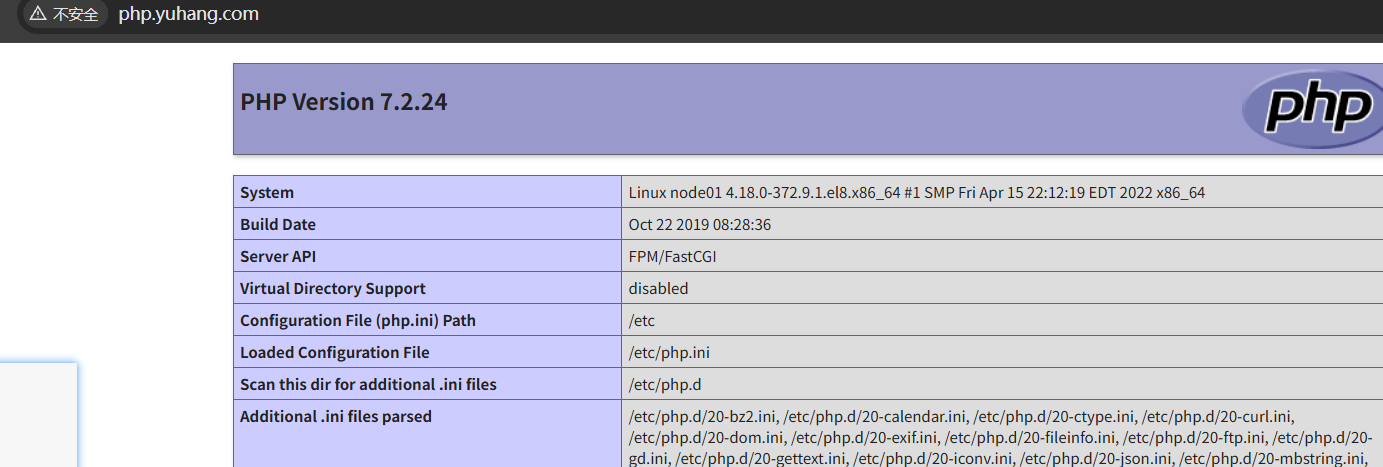
打通php与mysql之间的连接:
[root@node01 php]# ls
index.php  mysql.php  大海桌面壁纸.png
[root@node01 php]# cat mysql.php
<?php
$servername = "localhost";
$username = "root";
$password = "yuhang.com";

// 创建连接
$conn = mysqli_connect($servername, $username, $password);

// 检测连接
if (!$conn) {
    die("Connection failed: " . mysqli_connect_error());
}
echo "小哥哥,php可以连接MySQL...";
?>

<img style='width:100%;height:100%;' src='大海桌面壁纸.png'>
##访问php.yuhang.com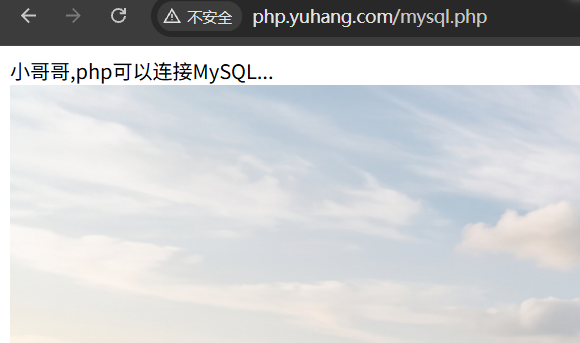
php/mysql服务的安装与启动
https://originspace.work/archives/phpfu-wu-de-an-zhuang-yu-qi-dong
评论